

Skip to navigation Skip to search Skip to content
Contact

Citrix Virtual Apps and Desktops
(formerly XenApp & XenDesktop)

Citrix Virtual Apps and Desktops, the mobile workplace solution, used to be called XenApp and XenDesktop. It offers a virtual workstation that can be accessed from anywhere. This complies with the latest security standards.

Citrix Logo

Secure provision of desktops and applications

With Citrix Virtual Apps and Desktops, you can provide individual applications. You can also distribute complete workstations and even entire virtual machines to each user via the network.

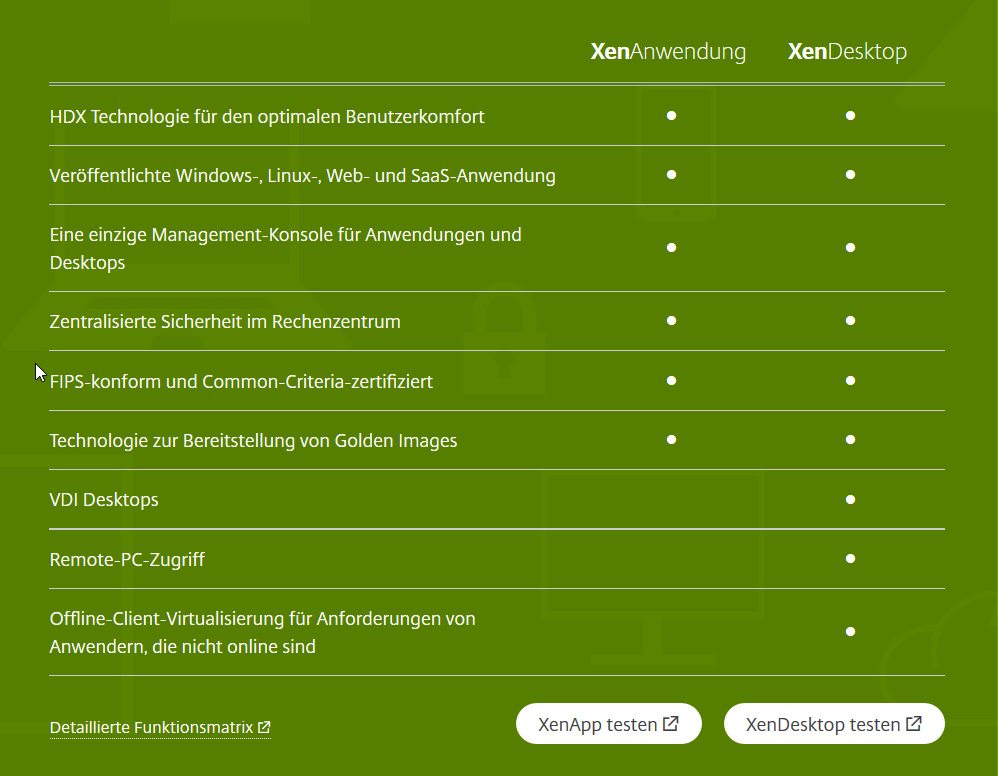
Citrix distinguishes between Virtual Apps, which are based on a server operating system, and Virtual Desktops, which use a client operating system.

Bad connection? No problem!

Citrix Virtual Apps and Desktops is characterized by the fact that it also copes well with poor Internet connections. Citrix overcomes high latency times thanks to the HDX protocol developed in-house.

Easily manage graphics-intensive applications

Graphics-intensive applications such as CAD programs require a lot of resources. Users are often handed a powerful machine, which they do not use sufficiently for most of the day.

Citrix Virtual Apps and Desktops manages these resources centrally. The Citrix HDX 3D Pro protocol brings the applications to the end device. The user does not notice that they are not running the work on their machine.

Integrate the entire environment

Citrix Virtual Apps and Desktops provide users with Windows servers and desktops. The software also supports Linux operating systems. This allows the entire environment to be integrated into Citrix.

Customers do not have to make any compromises. Citrix is supported on the following end devices:

Microsoft Windows

Apple macOS

Windows Mobile operating systems

Android

iOS

conventional Linux distributions
Simple application

Citrix Virtual Apps and Desktops is integrated directly into the operating system. Applications and desktops are launched from the desktop with a double-click.

Alternatively, they can be made available via a website. Here, Citrix Workspace app - formerly Citrix Receiver - launches the applications and desktops. The HTML5 Receiver can also display applications or the desktop directly in the browser window without additional software.

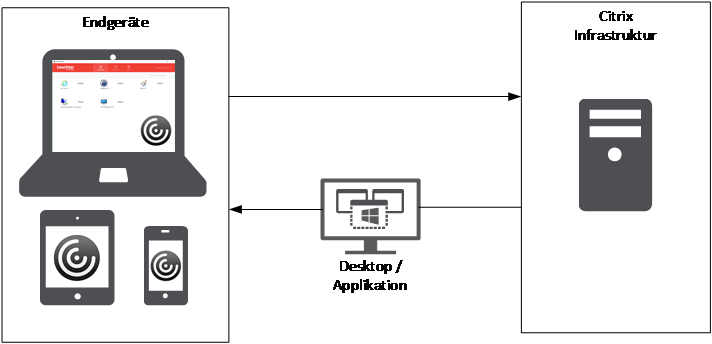
Citrix architecture diagram with end devices and central infrastructure for the provision of virtual desktops and applications

Personal consultation

A team of various professionals will take care of your inquiries concerning the topics IT infrastructure, organisation, communication and co-operation in the modern business world. Please consign your questions and messages to our team. A proven expert in these topics will contact you.
We look forward to your inquiry!

Get in touch
Team IT-Infrastruktur

Team IT-Infrastruktur