


How signature management works with Signgate
Simple design
The Signgate administration tool creates complete signatures in HTML, RTF and TXT. It also creates standardized absence texts, even in different languages. A simple text editor with the usual functions for text formatting, images, tables, hyperlinks etc. is available for this purpose. Signatures can also be copied. With the help of placeholders and text modules, the creation is very easy and requires no IT knowledge.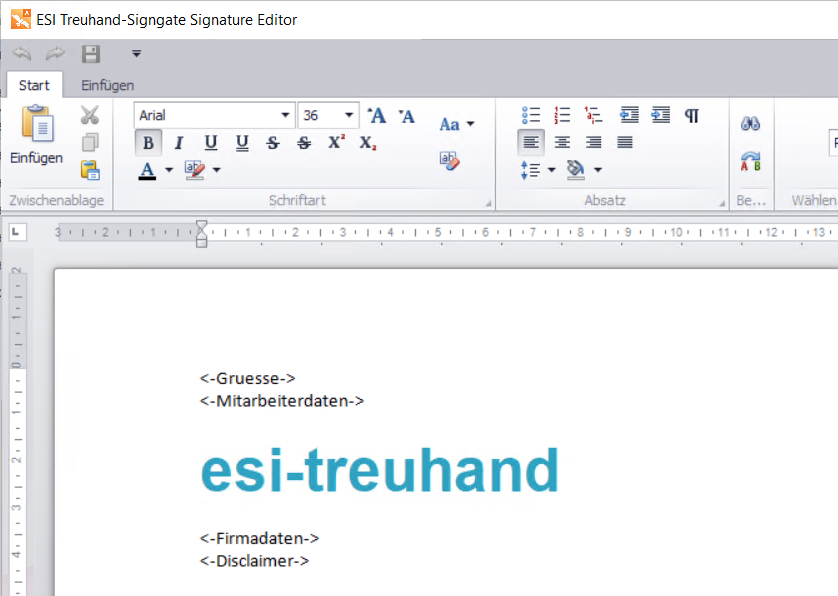
Personalization for the user
Signgate (at the user) automatically personalizes emails with the correct and corresponding employee data from your existing user administration. Optional placeholders can also be used to correct empty values in a signature. Use Active Directory, SQL Server or another OLEDB/ODBC source to access your employee data.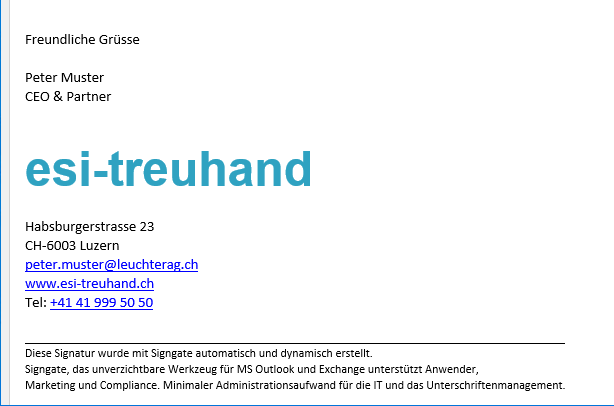
Dynamic content and text modules
Signgate has integrated management of text modules. Once entered, these can be used in all or different signatures. This system opens up immense possibilities in the simple, efficient and fast processing of signatures. For example, any changes only need to be made in one text module and not in all signatures. Text modules can be activated or deactivated. They have static text, placeholders for database fields, images, tables, etc. They are also available in different languages.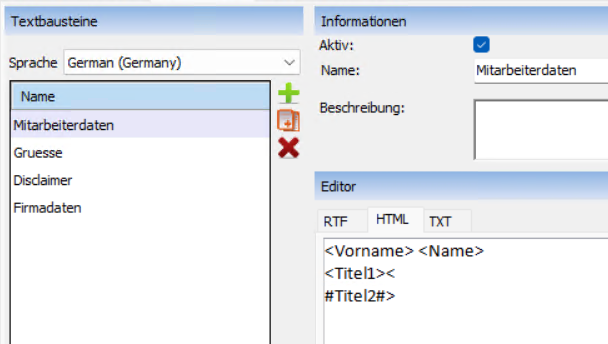
Different signatures thanks to a set of rules
Rules can be used to determine who receives or may use which signature in the company. Different variants are thus covered. The definition is based on the existing database fields and various possible conditions. Several signatures can be assigned to one person. The rule also defines which signature is the default for new emails and which is to be set for "forwarding/replies".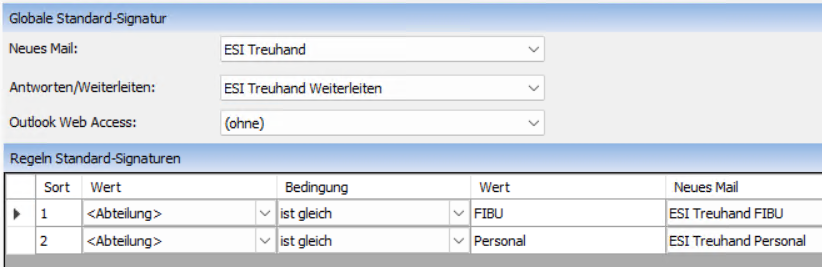
Uniform absence report
Signgate provides a standardized text for absence notifications. Employees use this text internally and externally via the wizard. This means that absence emails are also displayed correctly and uniformly for all employees throughout the company. Any number of absence texts can be recorded in different languages and distributed individually using the integrated set of rules.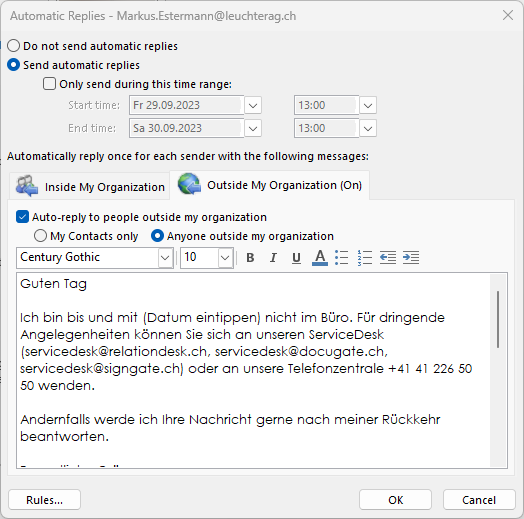
No dependencies
Signgate is designed for Microsoft Outlook and supports its signature functions. Other signature tools integrate themselves into the Exchange server. They only add the signature after sending, which prevents encryption, for example.
Signgate is basically independent of the Microsoft Exchange Server, as it is not integrated as an add-in but is installed in parallel. The functionalities of Outlook Web Access (OWA) and the provision of the out-of-office text are an exception. These require access to the Microsoft Exchange Server.
Frequently asked questions
Can I use this as an "IT left-hander"?
The Signgate user interface is simple andintuitive. It works with design tools that are similar to Outlook or Word.
Can the signatures be made "responsive"?
Can licenses be transferred?
Can I insert graphics and images into the signature?
Do I have to keep paying for updates?
Can I use distribution software for the installation?
Non-binding demo
Do you still have questions or would you like to see Signgate live in action? Contact us without obligation for a short demo including clarification of questions from marketing or technology (IT).Kontakt
Leuchter IT Solutions AG
Spinnereistrasse 5
6020 Emmenbrücke
Telefon: +41 41 226 50 18
E-Mail: angelo.conconi@leuchterag.ch
Support
Montag bis Freitag
08.30 - 12.00 Uhr
13.30 - 16.30 Uhr
Telefon: +41 41 226 50 48
E-Mail: servicedesk@signgate.ch