

Active Directory / Entra ID Integration
Intelligent use of user and metadata
With the integration of Active Directory (AD) or Microsoft Entra ID (Azure AD), Docugate ensures that all relevant employee and organizational data is automatically available in the document creation process. This eliminates manual data entry, reduces errors and ensures that documents are always personalized with the latest user information.
What does the interface to Active Directory / Entra ID do?
The Docugate interface to Active Directory or Entra ID acts as a provider for user and organizational data.
Using standardized interfaces (LDAP, ODBC, SQL), Docugate reads relevant data such as names, positions, locations or contact data and makes it available for document creation.
For example, data is inserted automatically:
Sender information
Name, position, telephone number, e-mail
Location or company data
Address, postal code, city, country, etc.
Signature and signature information
First name, surname, function, signature
Customer data or contact persons
from existing databases
This information is read and inserted "on time" when a document is created. Always up-to-date and consistent with the central user administration.
Functionality & possibilities
Read access to existing data
Docugate uses read access to Active Directory or Entra ID to import master data securely and efficiently.
Dynamic data integration
Employee data is automatically inserted during document creation. No redundancy, no outdated data.
Flexible management
User and group data can be maintained centrally by administrators or decentrally by individual users.
Open architecture
In addition to AD/Entra ID, other data sources such as SQL databases, Oracle, Outlook or TwixTel can also be integrated.
Automated address search
Recipient addresses can be entered manually or searched for and transferred from existing databases.
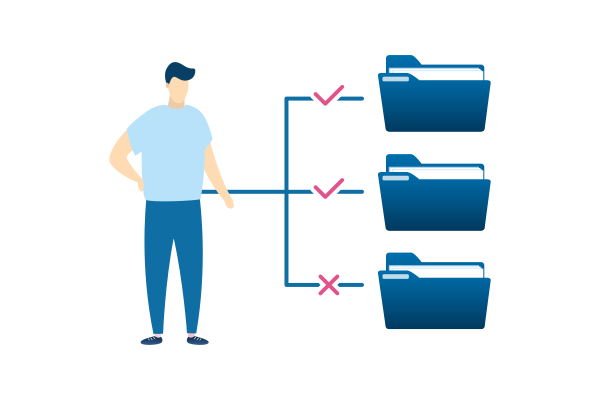
Central user and rights management
Docugate's integrated User Rights Module ensures a structured, group-based assignment of rights:
-
Roles and authorizations are managed via the Docugate AdminTool.
-
The hierarchy can be defined down to individual templates or language variants.
-
Groups and users can either be managed in Docugate or taken directly from the Active Directory.
This ensures that access rights are always up-to-date and synchronized with the company's IT structure.
Advantages at a glance
No double data entry
Existing user information is automatically transferred.
Consistent database
Standardized employee information in all documents.
Central care
Changes in the Active Directory immediately affect all documents.
Faster processes:
Automated personalization and template filling.
Flexibly expandable
Combination with other data sources (CRM, ERP, SQL, etc.).
Security & data protection
- Read-only access to the data source (no write operations).
- Access via secure connections (LDAPs, HTTPS, ODBC with authentication).
- Data is only used temporarily to create documents. No redundant storage.
- Compliance-compliant use in accordance with internal security guidelines and GDPR/CH-DSG.
Would you like to link your user administration with Docugate?
We will be happy to advise you on how best to integrate your existing Active Directory or Entra ID structure into Docugate.
Personal advice
As Lead Docugate Solutions, Andreas Imboden is your point of contact when it comes to questions about Microsoft Office, template management or document creation. He knows our Docugate and Signgate products inside out. This broad know-how and his many years of experience allow him to work with you to design, discuss and, of course, implement a solution tailored to your needs. Get in touch now!

Andreas Imboden
Lead Docugate Solutions / Project Manager
Phone: 041 226 50 71
E-Mail: andreas.imboden@leuchterag.ch
Kontakt
Leuchter IT Solutions AG
Winkelriedstrasse45
6003 Luzern
Telefon: +41 41 226 50 60
E-Mail: kontakt@docugate.ch
Support
Montag bis Freitag
07.00 - 18.00 Uhr
Telefon: +41 41 226 50 48
E-Mail: servicedesk@docugate.ch